
Built-in types and their sizes
What you'll learn:
- choose a variable's type for its data: a whole number, a fraction, a character or a yes/no;
- write an initial value so that the compiler catches a lost part of a number;
- protect values from accidental changes with
constandconstexpr; - tell where a variable's name is visible and how long the variable lives.
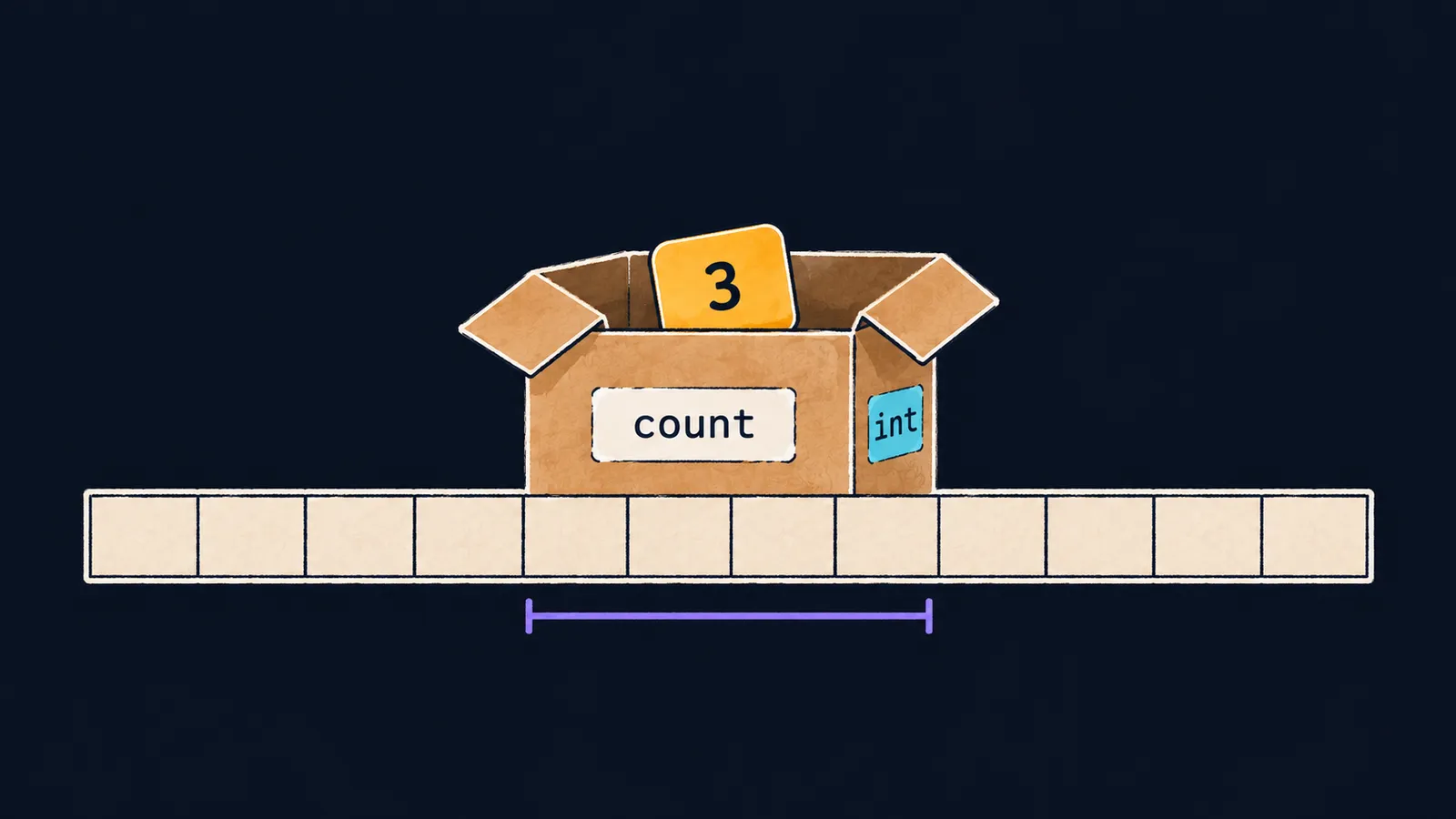
Picture a storeroom where everything sits in its own box. Each box has a sticker with a name, so you can find it, and a stamp on the side that says what it may hold. You cannot pour milk into an egg box, and a big object will not fit into a narrow one.
In a C++ program, such a box is called a variable: a named place in memory. The sticker is the variable's name, the stamp is its type, and what lies inside is its value. The type is set in the declaration: it decides which values the variable holds and how they are printed. Here true is printed as 1:
#include <iostream>

int main() {
    int count = 3;
    double price = 2.5;
    char grade = 'A';
    bool ready = true;
    std::cout << count << ' ' << price << '\n';  // 3 2.5
    std::cout << grade << ' ' << ready << '\n';  // A 1
}
Let's take the declaration int count = 3; apart:
intis the type, the stamp on the box: a whole number lies inside;countis the name, the sticker on the box;3is the initial value, what was put into the box right away.
From then on, the name stands for the value: std::cout << count prints 3. A variable's type does not change after the declaration: the stamp goes on once.
This is where the box picture stops working. A real box can be empty, but a variable cannot: it always holds some value, even if you put none there, and such a value is unpredictable.
Basic types
Four types appear in almost every program:
int: a whole number, such as42,-7or0;double: a number with a fractional part, such as2.5or-0.1;char: a single character in single quotes, such as'A'or'7';bool: a logical value,trueorfalse:std::coutprints them as1and0.
Four more types appear less often:
long long: whole numbers too large for anint;float: fractional numbers with less precision than adouble;short: an integer type no wider than anint;long: an integer type no narrower than anint.
Assignment
The value in a box can be replaced. You write the variable's name, the = sign and the new value, and this is called assignment:
count = 5;puts a new value into a variable that already exists: the type stays the same, and the old value is lost;count = count + 1;first reads the current value ofcount, adds1and writes the result back, so a3becomes a4;- the
=inside a declaration, as inint count = 3;, sets the first value, while an=after the declaration is assignment.
The = sign here is not the equality of math. count = count + 1 reads as "put into count its value plus one".
Size in bytes
Computer memory is like a long row of numbered cells. One cell is a byte, and it holds one of 256 values. A variable's box takes several cells in a row: the more bytes a type has, the wider the range of numbers that fit in it.
Each type takes its own number of bytes in memory, and that number decides which values fit in a variable. sizeof shows the size. The C++ standard fixes only sizeof(char), which is always 1. The other sizes depend on the platform and the compiler:
#include <iostream>

int main() {
    std::cout << sizeof(char) << ' ' << sizeof(int) << '\n';  // 1 4
    std::cout << sizeof(long long) << ' ' << sizeof(double) << '\n';  // 8 8
}
This is what the program prints on a typical computer and in the course exercises. A 4-byte int holds numbers up to about two billion, and larger ones go in a long long. Interviewers often ask how many bytes an int takes. The precise answer: the standard sets only a lower bound, and on a typical computer it is four bytes.
The type of a literal
A literal is a value written directly in the code. The compiler tells its type from the way it is written:
| Literal | Type |
|---|---|
10 | int |
2.5 | double |
2.5f | float |
'a' | char |
true | bool |
A number with a decimal point is a double, even without a fractional part: 2.0 is a double too. The suffix f makes the literal a float: 2.5f is a float, not a double. sizeof shows the difference:
std::cout << sizeof(2.5) << ' ' << sizeof(2.5f) << '\n'; // 8 4Common mistake
A character is written in double quotes:
char grade = "A"; // ✗error: cannot initialize a variable of type 'char' with an lvalue of type 'const char[2]'This is a compile error. Double quotes create text of any number of characters, while a char holds exactly one. A single character goes in single quotes: 'A'.
Key points
- A variable is a named place in memory: it has a type, a name and a value, and its type does not change after the declaration.
- The basic types are
int,double,charandbool;sizeofshows how many bytes a type takes. count = count + 1;reads the old value, adds1and writes the result back.- A character goes in single quotes,
'A', and a number with a decimal point, even2.0, is adouble.
Subscribe to take the course
The course is free. Sign in with Telegram and subscribe to the channel to open every lesson.