
Headers and translation units
What you'll learn:
- split declarations and definitions between headers and
.cppfiles; - explain what text
#includeinserts into a translation unit; - guard a header against being included twice;
- tell apart the linker errors
multiple definitionandundefined reference.
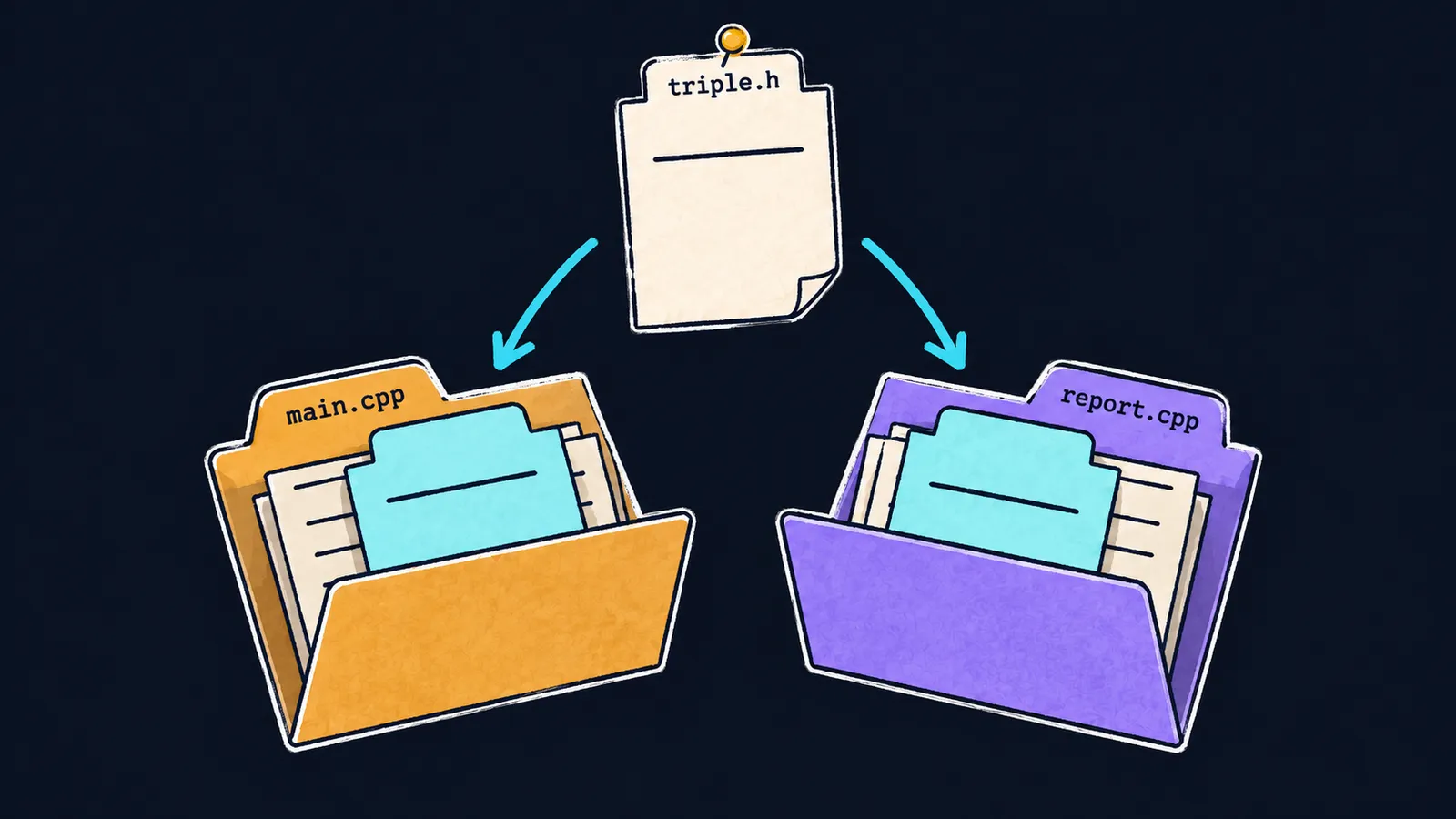
Picture an office where every department keeps its own folder of papers and nobody looks into another department's folder. Sales and accounting both need the same memo, which says that the function triple takes a whole number and returns a whole number. The original memo is kept in one place, and each folder gets a copy of it. That way a change to the original reaches every department.
In a C++ program, the departments are .cpp files. The function triple is defined in triple.cpp and called from main.cpp, report.cpp and other files of the program. The compiler accepts each call only if the declaration int triple(int x); comes before it. Copying that declaration into every file by hand is unreliable. If the parameter type changes in one copy and the others are forgotten, the files start declaring different functions.
Header file
The declaration is written once, in a header file—a file of declarations that is included wherever they are needed. This is the original memo. The file main.cpp includes it with the line #include. Lines that start with # are called directives.
#include <iostream>
#include "triple.h"

int main() {
    std::cout << triple(14) << '\n';  // 42
}
The #include directive puts a copy of the memo into the file: it inserts the text of the header triple.h in its place. That text is a single line—the declaration:
int triple(int x);The name of your own header goes in quotes, while a standard library header goes in angle brackets. A header is usually named after the .cpp file that holds the definitions. The definition stays in triple.cpp, and that file includes triple.h too:
#include "triple.h"

int triple(int x) {
    return x * 3;
}
Now #include inserts the declaration into triple.cpp, and the compiler sees it next to the definition. If their return types differ, the compiler reports an error as soon as it compiles triple.cpp.
Translation unit
The compiler translates not a single file but a translation unit: a .cpp file together with all the text its #include directives inserted. This is a department's folder together with the memo copies inside it. The compiler translates each unit separately, into an object file of its own, and never looks into other units.
The analogy is off in one way: the copies are not stored in the files. #include inserts the text anew on every compile, and the .cpp files on disk stay unchanged.
A header is never compiled by itself: its text becomes part of every unit that includes it. That is why a build command lists only .cpp files: clang++ main.cpp triple.cpp. This is a terminal command: it compiles the listed files and links them into one program. In Visual Studio, the project's file list plays the same role.
This splits a program into parts: the header says which functions exist, and the .cpp file says how they work. Any number of files in the program can include the header. The declaration is now written in one place, and the compiler checks every call against it.
Common mistake
A header of your own is included in angle brackets:
#include <iostream>
#include <triple.h>  // ✗

int main() {
    std::cout << triple(14) << '\n';
}error: 'triple.h' file not found with <angled> include; use "quotes" insteadThis is a compile error. With angle brackets, the compiler looks for the header among the library directories and does not search the folder that holds main.cpp. With quotes, the search starts in the file's own folder.
Key points
- Declarations go in a header, definitions in a
.cppfile. #includeinserts the header's text in place of the directive.- A translation unit is a
.cppfile with all the inserted text, and each one is compiled separately. - Your own header goes in quotes, a standard library header in angle brackets.
Subscribe to take the course
The course is free. Sign in with Telegram and subscribe to the channel to open every lesson.