
std::vector
What you'll learn:
- store a number of values that is not known in advance in a
std::vector; - tell a vector's size from its capacity;
- find a value by key in a
std::mapand astd::unordered_map; - erase elements in a loop with iterators.
The size of a std::array is part of its type: std::array<int, 5> holds exactly five numbers. But the number of values is often known only while the program runs. For example, a program that picks out numbers that match a condition does not know in advance how many it will collect.
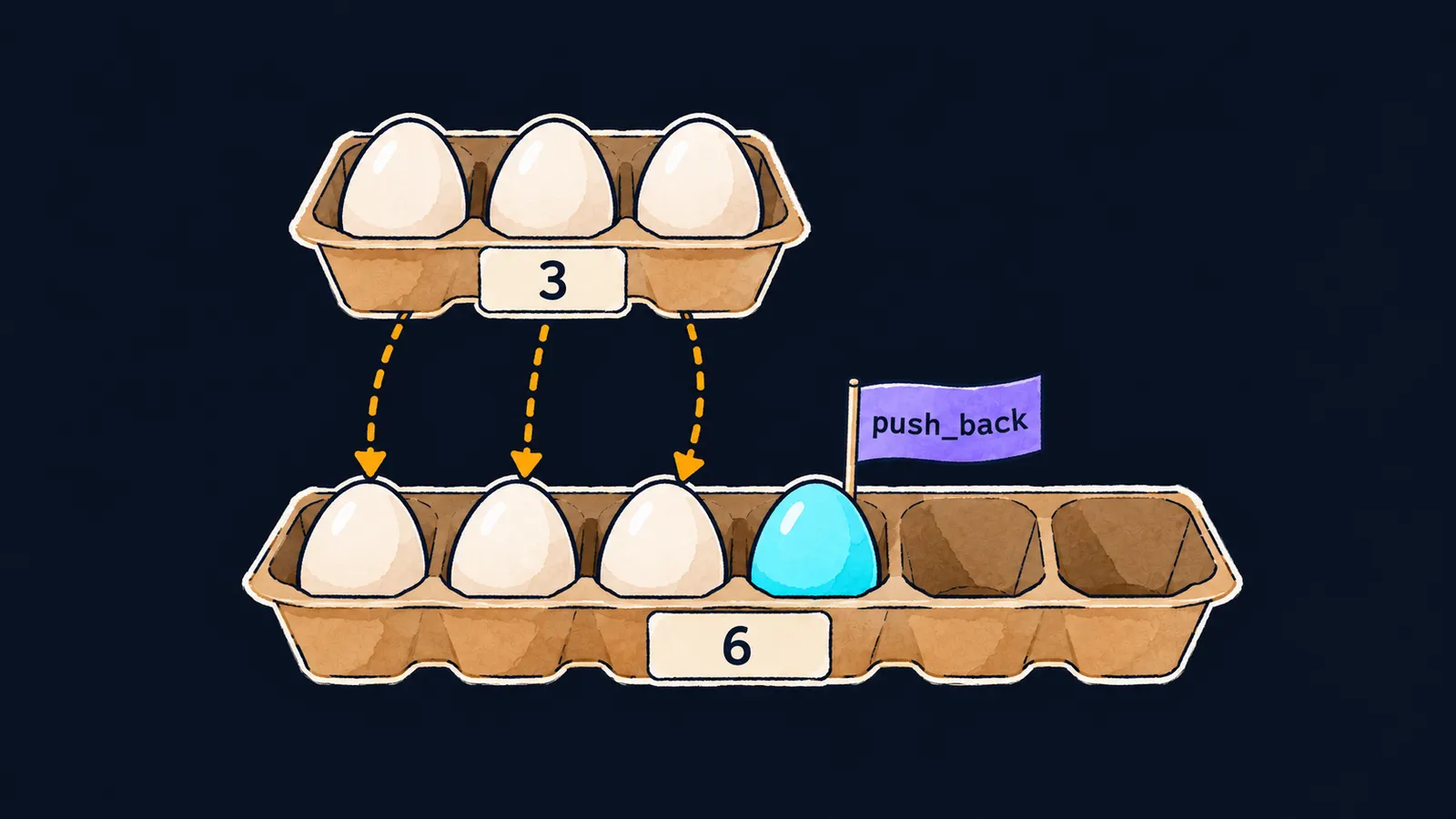
Picture an egg carton with its cells in a single row. Eggs go in one after another, starting from the first cell, and the last cells may stay empty for now. When no free cells are left, you take a bigger carton and move all the eggs into it. A std::vector works the same way:
#include <iostream>
#include <vector>

int main() {
    std::vector<int> found;
    for (int i = 1; i <= 10; ++i) {
        if (i % 3 == 0) {
            found.push_back(i);
        }
    }
    std::cout << found.size() << '\n';  // 3
    for (int x : found) {
        std::cout << x << ' ';  // 3 6 9
    }
}
A container is an object that holds a collection of elements of one type. std::vector<int> is a container of int numbers: the element type goes in angle brackets. A new vector is empty. The example uses two functions:
push_backadds an element at the end;size()returns the number of elements.
A range-for loop visits the elements in the order they were added.
Access by index
A vector can be filled with values in curly braces right away. As with an array, v[0] is the first element, and v[v.size() - 1] is the last. If an index falls outside the vector, reading or writing through it is undefined behavior.
std::vector<int> v{4, 8, 15};
for (std::size_t i = 0; i < v.size(); ++i) {
    v[i] = v[i] * 2;
}
std::cout << v[0] << ' ' << v[2] << '\n';  // 8 30
A few more vector functions:
size()returnsstd::size_t, as with a string, so an index counter is declared with the same type;v.empty()returnstruewhen the vector has no elements;v.back()returns the last element, andv.pop_back()removes it;- an element of a vector can itself be a vector:
std::vector<std::vector<int>> t{{1, 2}, {3, 4}};stores a table row by row,t[1]is the second row, andt[1][0]is the number3.
Size and capacity
A vector keeps its elements next to each other in memory, in one block, like eggs in a carton. The block may have spare room. The standard does not say how much: a vector v{1, 2, 3} may have none at all.
Capacity is how many elements fit in the block, that is, the number of cells in the carton. capacity() returns it, while size() counts only the filled cells. While size() is less than capacity(), push_back puts the element into free space.
When there is no room left, push_back allocates a bigger block, moves the elements into it and frees the old one. This is a reallocation. How much the capacity grows is up to the standard library: libc++, which the course builds programs with, doubles it, and other libraries may grow it differently. So do not write code that relies on a particular value.
Add elements with the button and watch when the vector moves to a new block: the block number and address change, and the old block is freed.
std::vector<int> v{1, 2, 3};size() = 3, capacity() = 3 — no free cells. Press the button.
This is where the carton stops being an exact picture. The old carton stays on the table, but the vector's old block is freed, and anything that pointed to its elements now points into nothing.
reserve and resize
When the number of elements is known in advance, the room can be allocated at once. After reserve(n) the capacity is at least n, but no elements are added: size() stays the same. If n is not greater than the current capacity, the call does nothing.
resize(n) changes the size itself: missing elements get the value 0, like int x{}, and extra ones are removed.
std::vector<int> a;
a.reserve(100);
std::cout << a.size() << ' ' << (a.capacity() >= 100) << '\n';  // 0 1
std::vector<int> b{7};
b.resize(3);
std::cout << b.size() << ' ' << b[0] << ' ' << b[2] << '\n';  // 3 7 0
Common mistake
After reserve, elements are written by index:
std::vector<int> v;
v.reserve(3);
v[0] = 7;  // ✗
The reserve call allocated memory but created no elements: v.size() is still 0, and v[0] reaches outside the vector. This is undefined behavior, even though the program compiles without warnings. Add elements with push_back, or set the size with resize(3).
Key points
- A
std::vectorkeeps its elements next to each other, and their number may change while the program runs. size()is how many elements the vector holds;capacity()is how many fit in the block without a reallocation.- When the block is full,
push_backmoves the elements into a new, bigger block. reserveallocates room without elements, andresizecreates or removes elements.
Subscribe to take the course
The course is free. Sign in with Telegram and subscribe to the channel to open every lesson.